Transect Planner
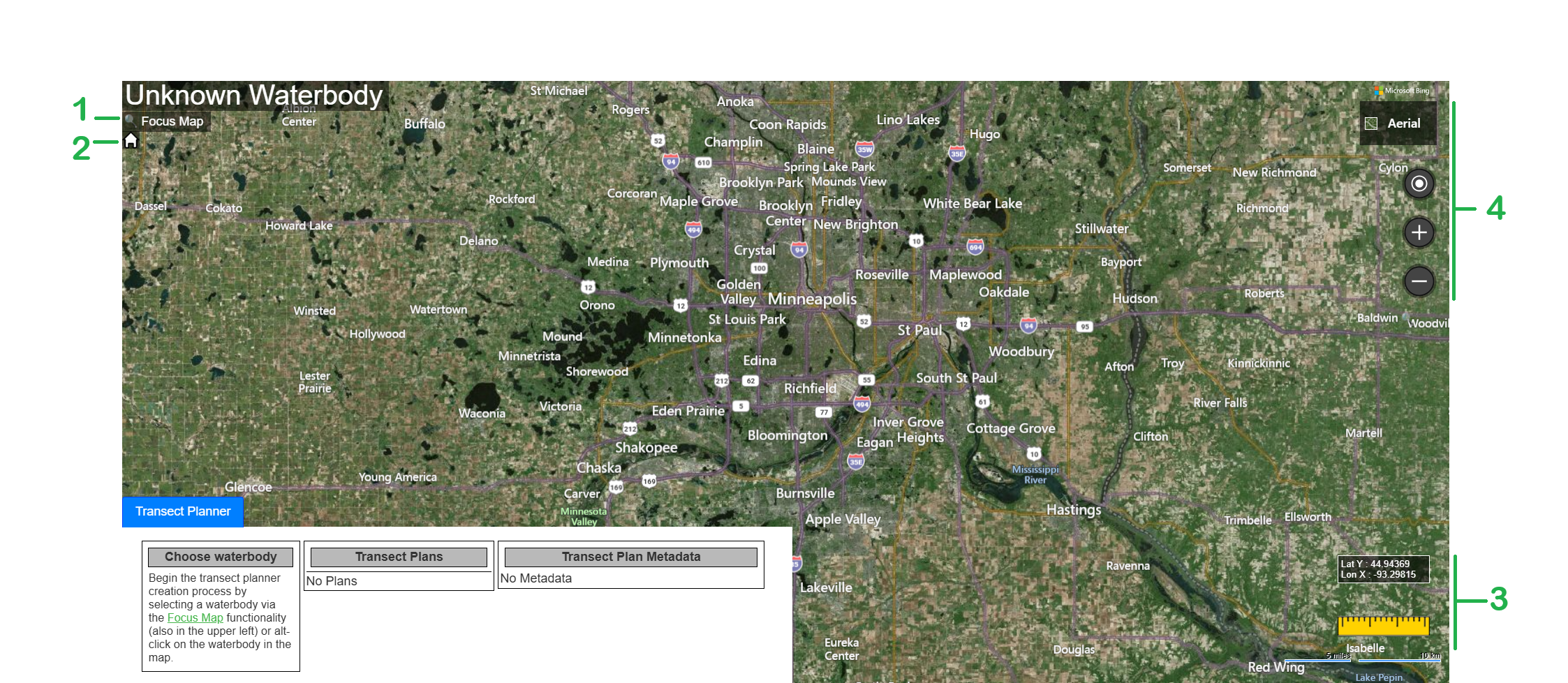
1. This is the Focus Map tool. You can either right mouse click (Alt-click) on a waterbody to select it or use Focus Map to open a Latitude and Longitude dialog. Enter the Latitude and Longitude for the waterbody needing the plan. If the waterbody is not in our database reach out to info@biobasemaps.com with the information about the waterbody and it’ll be added.
2. This is the Home button that closes this page and opens the Dashboard page.
3. Mouse Map Lat and Lon, Measurement Tool and Scaling indicators.
4. Map tools for zoom and centering on locations.
Once the waterbody is focused Transect Planner tools will appear.
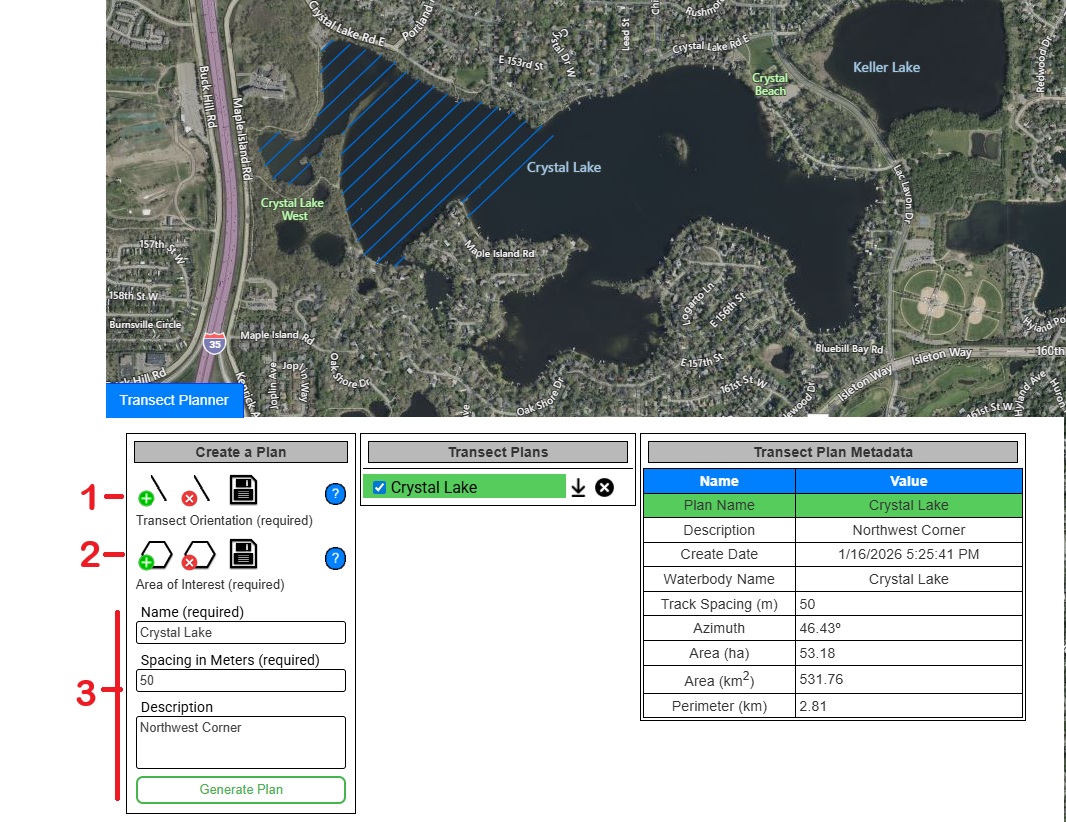
To create the transect lines follow the steps listed below.
1. Click on the green plus icon, go to the map, click once in the waterbody to start the line, create the line in the direction you want the transect to go, and double click to finish the line. Click on the save button to Commit the line. To delete the current line, click on the red button with the x.
2. Create the Area of Interest. Click on the green button to create the polygon for the area of interest. Draw around the area to contain the transect lines. Connect back to the start of the polygon and double click to close. Click the Save button to Commit the polygon. To delete the current polygon, click on the red button with the x.
➔ Note: The polygon doesn’t need to follow the shoreline or to detailed. The BioBase system will use the existing shoreline that is contained in the BioBase database.
3. Give the plan a name then a select a spacing between each transect line. The spacing selected should correspond with the Buffer setting in the Processing Preferences. The default setting is 25 meters, which means processing will create 25 meters of data out from the track line. The correct spacing will be 50 meters. That is 50 meters between each transect line. A description can be added but is not needed to save the project. Click on the Generate Plan button.
➔ Note: When clicking on Generate Plan and no plan is generated please be sure the line and AOI polygon have been committed, the plan has a name and the spacing is set. It could take a few seconds to generate.